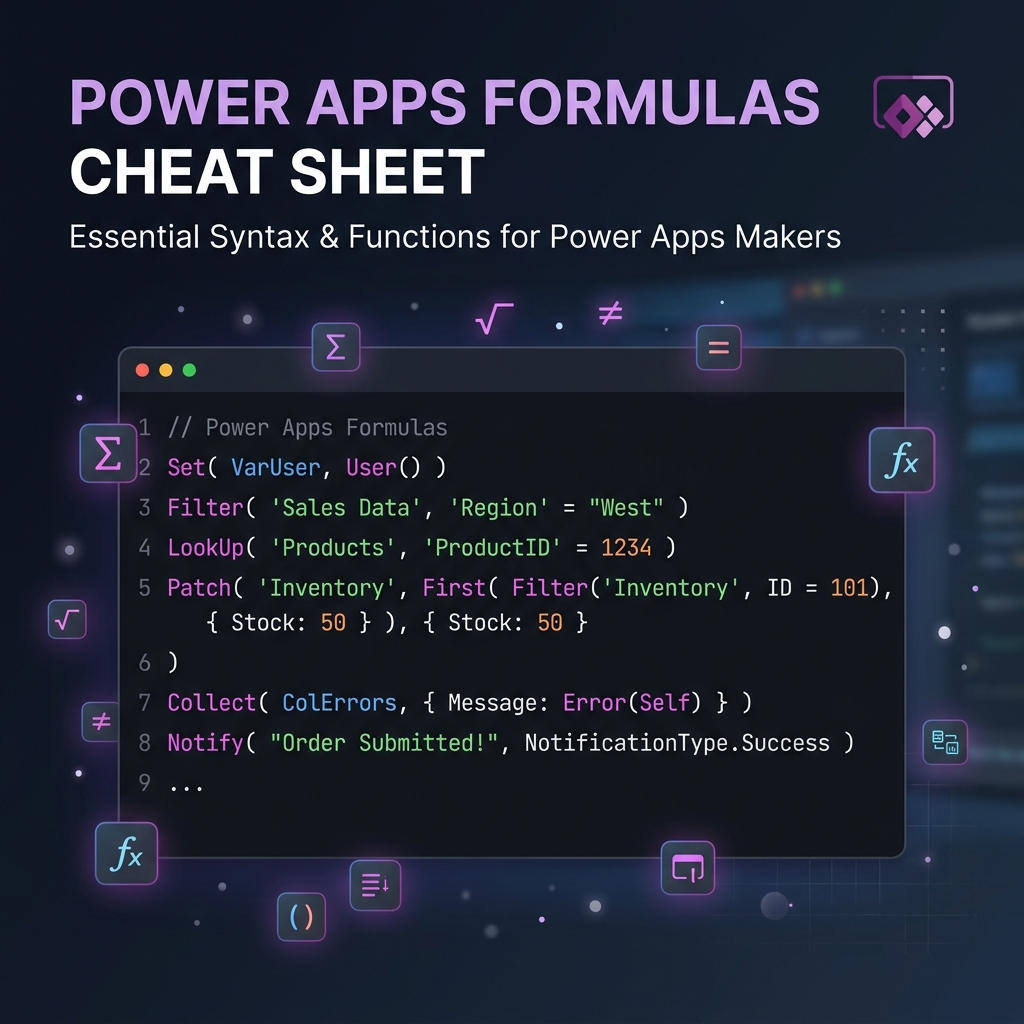
Why This Cheat Sheet?
Power Apps uses a formula language called Power Fx. It’s similar to Excel formulas, but designed for building apps.
Whether you’re a beginner or an experienced maker, you’ll find yourself constantly looking up syntax and parameters.
This cheat sheet organizes every important formula into categories so you can find what you need fast.
Bookmark this page — you’ll come back to it often! 🔖
How to Read This Cheat Sheet
Each table follows this format:
| Column | What It Means |
|---|---|
| Formula | The function name |
| Syntax | How to write it |
| Example | A real-world usage |
| What It Does | Plain English explanation |
Text Formulas
These formulas help you manipulate, format, and work with text strings.
| Formula | Syntax | Example | What It Does |
|---|---|---|---|
| Len | Len(Text) | Len("Power Apps") → 10 | Returns the number of characters in a string |
| Left | Left(Text, NumChars) | Left("Power Apps", 5) → "Power" | Returns characters from the start of a string |
| Right | Right(Text, NumChars) | Right("Power Apps", 4) → "Apps" | Returns characters from the end of a string |
| Mid | Mid(Text, Start, Count) | Mid("Power Apps", 7, 4) → "Apps" | Returns characters from the middle of a string |
| Upper | Upper(Text) | Upper("hello") → "HELLO" | Converts text to uppercase |
| Lower | Lower(Text) | Lower("HELLO") → "hello" | Converts text to lowercase |
| Proper | Proper(Text) | Proper("john doe") → "John Doe" | Capitalizes first letter of each word |
| Trim | Trim(Text) | Trim(" hello ") → "hello" | Removes leading and trailing spaces |
| Substitute | Substitute(Text, Old, New) | Substitute("2024-01-01", "-", "/") → "2024/01/01" | Replaces occurrences of a substring |
| Replace | Replace(Text, Start, Count, New) | Replace("Power Apps", 7, 4, "Fx") → "Power Fx" | Replaces characters by position |
| Concatenate | Concatenate(Text1, Text2, ...) | Concatenate("Hello", " ", "World") → "Hello World" | Joins multiple strings together |
| & (Ampersand) | Text1 & Text2 | "Hello" & " " & "World" → "Hello World" | Shorthand for Concatenate |
| Text | Text(Value, Format) | Text(Today(), "mm/dd/yyyy") → "02/21/2026" | Converts a value to formatted text |
| Value | Value(Text) | Value("42") → 42 | Converts a text string to a number |
| Find | Find(FindText, WithinText, Start) | Find("App", "Power Apps") → 7 | Returns the position of a substring (case-sensitive) |
| StartsWith | StartsWith(Text, Start) | StartsWith("Power Apps", "Power") → true | Checks if text begins with a value |
| EndsWith | EndsWith(Text, End) | EndsWith("Power Apps", "Apps") → true | Checks if text ends with a value |
| IsBlank | IsBlank(Value) | IsBlank(TextInput1.Text) → true/false | Checks if a value is blank or empty |
| Coalesce | Coalesce(Value1, Value2, ...) | Coalesce(User.Email, "N/A") → first non-blank | Returns the first non-blank value |
| Split | Split(Text, Separator) | Split("a,b,c", ",") → table with a, b, c | Splits a string into a table of substrings |
| Char | Char(Number) | Char(10) → line break | Returns the character for an ASCII code |
| EncodeUrl | EncodeUrl(Text) | EncodeUrl("hello world") → "hello%20world" | URL-encodes a string |
| PlainText | PlainText(HTMLText) | PlainText("<b>Bold</b>") → "Bold" | Strips HTML tags from text |
Number & Math Formulas
Formulas for calculations, rounding, and number operations.
| Formula | Syntax | Example | What It Does |
|---|---|---|---|
| Sum | Sum(Table, Column) | Sum(Orders, Amount) → 5000 | Adds up all values in a column |
| Average | Average(Table, Column) | Average(Orders, Amount) → 250 | Calculates the mean of values |
| Min | Min(Table, Column) | Min(Orders, Amount) → 10 | Returns the smallest value |
| Max | Max(Table, Column) | Max(Orders, Amount) → 1000 | Returns the largest value |
| Count | Count(Table, Column) | Count(Orders, Amount) → 20 | Counts cells that contain numbers |
| CountRows | CountRows(Table) | CountRows(Orders) → 20 | Counts the number of rows in a table |
| CountIf | CountIf(Table, Condition) | CountIf(Orders, Status = "Active") → 12 | Counts rows that meet a condition |
| Round | Round(Number, Decimals) | Round(3.456, 2) → 3.46 | Rounds to a specified number of decimals |
| RoundUp | RoundUp(Number, Decimals) | RoundUp(3.451, 2) → 3.46 | Always rounds up |
| RoundDown | RoundDown(Number, Decimals) | RoundDown(3.459, 2) → 3.45 | Always rounds down |
| Int | Int(Number) | Int(3.9) → 3 | Rounds down to the nearest integer |
| Abs | Abs(Number) | Abs(-42) → 42 | Returns the absolute value |
| Mod | Mod(Number, Divisor) | Mod(10, 3) → 1 | Returns the remainder of division |
| Power | Power(Base, Exponent) | Power(2, 3) → 8 | Raises a number to a power |
| Sqrt | Sqrt(Number) | Sqrt(16) → 4 | Returns the square root |
| Rand | Rand() | Rand() → 0.7291... | Returns a random number between 0 and 1 |
| RandBetween | RandBetween(Min, Max) | RandBetween(1, 100) → 47 | Returns a random integer in a range |
Date & Time Formulas
Working with dates and times in Power Apps.
| Formula | Syntax | Example | What It Does |
|---|---|---|---|
| Today | Today() | Today() → 2/21/2026 | Returns today’s date (no time) |
| Now | Now() | Now() → 2/21/2026 3:45 PM | Returns the current date and time |
| Date | Date(Year, Month, Day) | Date(2026, 12, 25) → 12/25/2026 | Creates a date from parts |
| Time | Time(Hour, Min, Sec, Ms) | Time(14, 30, 0, 0) → 2:30 PM | Creates a time from parts |
| DateValue | DateValue(Text) | DateValue("02/21/2026") → date | Converts a text string to a date |
| TimeValue | TimeValue(Text) | TimeValue("14:30") → time | Converts a text string to a time |
| DateTimeValue | DateTimeValue(Text) | DateTimeValue("2026-02-21 14:30") → datetime | Converts text to a datetime |
| Year | Year(Date) | Year(Today()) → 2026 | Extracts the year from a date |
| Month | Month(Date) | Month(Today()) → 2 | Extracts the month (1–12) |
| Day | Day(Date) | Day(Today()) → 21 | Extracts the day of the month |
| Hour | Hour(DateTime) | Hour(Now()) → 15 | Extracts the hour (0–23) |
| Minute | Minute(DateTime) | Minute(Now()) → 45 | Extracts the minute (0–59) |
| Second | Second(DateTime) | Second(Now()) → 30 | Extracts the second (0–59) |
| Weekday | Weekday(Date, Start) | Weekday(Today(), StartOfWeek.Monday) → 6 | Returns day of week as a number |
| DateAdd | DateAdd(Date, Amount, Units) | DateAdd(Today(), 30, TimeUnit.Days) → date 30 days from now | Adds to a date |
| DateDiff | DateDiff(Start, End, Units) | DateDiff(StartDate, Today(), TimeUnit.Days) → 45 | Calculates difference between dates |
| EDate | EDate(Date, Months) | EDate(Today(), 3) → date 3 months later | Adds months to a date |
| EOMonth | EOMonth(Date, Months) | EOMonth(Today(), 0) → last day of current month | Returns end of month |
| IsToday | IsToday(Date) | IsToday(ThisItem.DueDate) → true/false | Checks if a date is today |
| Calendar | Calendar.MonthsLong() | Calendar.MonthsLong() → table of month names | Returns localized month names |
| Clock | Clock.AmPm() | Clock.AmPm() → ["AM", "PM"] | Returns localized AM/PM labels |
Logic & Conditional Formulas
Formulas for decision-making and branching.
| Formula | Syntax | Example | What It Does |
|---|---|---|---|
| If | If(Condition, Then, Else) | If(Score >= 90, "A", "B") → "A" | Returns a value based on a condition |
| If (nested) | If(C1, R1, C2, R2, Default) | If(Score >= 90, "A", Score >= 80, "B", "C") | Multiple conditions in one If |
| Switch | Switch(Value, Match1, Result1, ...) | Switch(Status, "Active", Green, "Inactive", Red, Gray) | Matches a value to multiple options |
| And | And(Cond1, Cond2) | And(Age >= 18, HasLicense) → true/false | Returns true if ALL conditions are true |
| Or | Or(Cond1, Cond2) | Or(Role = "Admin", Role = "Owner") → true/false | Returns true if ANY condition is true |
| Not | Not(Condition) | Not(IsBlank(Email)) → true/false | Reverses a boolean value |
| IsBlank | IsBlank(Value) | IsBlank(TextInput1.Text) → true/false | Checks if a value is blank |
| IsEmpty | IsEmpty(Table) | IsEmpty(Filter(Orders, Status="Open")) → true/false | Checks if a table has no rows |
| IsNumeric | IsNumeric(Text) | IsNumeric("42") → true | Checks if text represents a number |
| IsMatch | IsMatch(Text, Pattern) | IsMatch(Email, Match.Email) → true/false | Tests text against a regex pattern |
| IfError | IfError(Value, Fallback) | IfError(1/0, 0) → 0 | Returns fallback if an error occurs |
| IsError | IsError(Value) | IsError(Value("abc")) → true | Checks if an expression results in error |
| Coalesce | Coalesce(V1, V2, V3) | Coalesce(Nickname, FirstName, "Unknown") | Returns first non-blank value |
Table & Record Formulas
These are the formulas you’ll use most often with galleries, data tables, and collections.
| Formula | Syntax | Example | What It Does |
|---|---|---|---|
| Filter | Filter(Table, Condition) | Filter(Accounts, Status = "Active") | Returns rows that match a condition |
| Search | Search(Table, Text, Col1, Col2) | Search(Accounts, txtSearch.Text, "Name", "Email") | Searches multiple columns for text |
| LookUp | LookUp(Table, Condition, Column) | LookUp(Users, ID = 5, Name) → "John" | Returns a single value from a matching row |
| Sort | Sort(Table, Column, Order) | Sort(Accounts, Name, SortOrder.Ascending) | Sorts a table by one column |
| SortByColumns | SortByColumns(Table, Col, Order) | SortByColumns(Accounts, "name", SortOrder.Ascending) | Sorts by column name as string |
| FirstN | FirstN(Table, Count) | FirstN(Sort(Accounts, Revenue, SortOrder.Descending), 10) | Returns the first N rows |
| LastN | LastN(Table, Count) | LastN(Accounts, 5) | Returns the last N rows |
| First | First(Table) | First(Accounts).Name → "Contoso" | Returns the first record |
| Last | Last(Table) | Last(Accounts).Name | Returns the last record |
| CountRows | CountRows(Table) | CountRows(Filter(Accounts, Status="Active")) → 42 | Counts rows in a table |
| AddColumns | AddColumns(Table, ColName, Formula) | AddColumns(Orders, "Total", Qty * Price) | Adds a calculated column |
| DropColumns | DropColumns(Table, Col1, Col2) | DropColumns(Accounts, "InternalID", "Notes") | Removes columns from a table |
| RenameColumns | RenameColumns(Table, Old, New) | RenameColumns(Accounts, "cr_name", "AccountName") | Renames a column |
| ShowColumns | ShowColumns(Table, Col1, Col2) | ShowColumns(Accounts, "Name", "Email") | Keeps only specified columns |
| Distinct | Distinct(Table, Column) | Distinct(Accounts, Status) | Returns unique values from a column |
| GroupBy | GroupBy(Table, Col, GroupName) | GroupBy(Orders, "Category", "Items") | Groups rows by a column |
| Ungroup | Ungroup(Table, GroupCol) | Ungroup(GroupedData, "Items") | Flattens a grouped table |
| Concat | Concat(Table, Formula, Sep) | Concat(SelectedItems, Name, ", ") → "A, B, C" | Joins column values into a string |
| ForAll | ForAll(Table, Formula) | ForAll(colItems, Patch(Orders, Defaults(Orders), {Name: Name})) | Loops through each row and runs a formula |
Collection & Variable Formulas
Managing app state, collections, and variables.
| Formula | Syntax | Example | What It Does |
|---|---|---|---|
| Set | Set(VarName, Value) | Set(varUserName, User().FullName) | Sets a global variable |
| UpdateContext | UpdateContext({Var: Value}) | UpdateContext({showPopup: true}) | Sets a screen-level (context) variable |
| ClearCollect | ClearCollect(Collection, Data) | ClearCollect(colAccounts, Accounts) | Clears and fills a collection |
| Collect | Collect(Collection, Record) | Collect(colCart, {Item: "Widget", Qty: 2}) | Adds records to a collection |
| Clear | Clear(Collection) | Clear(colCart) | Removes all records from a collection |
| Remove | Remove(Collection, Record) | Remove(colCart, ThisItem) | Removes a specific record |
| RemoveIf | RemoveIf(Collection, Cond) | RemoveIf(colCart, Qty = 0) | Removes records matching a condition |
| Update | Update(Collection, OldRec, NewRec) | Update(colCart, ThisItem, {Item: "Widget", Qty: 5}) | Replaces an entire record |
| UpdateIf | UpdateIf(Collection, Cond, Changes) | UpdateIf(colCart, Item = "Widget", {Qty: 10}) | Updates records matching a condition |
| Patch | Patch(DataSource, Record, Changes) | Patch(Accounts, LookUp(Accounts, ID=1), {Status: "Active"}) | Creates or updates a record in a data source |
| Defaults | Defaults(DataSource) | Patch(Accounts, Defaults(Accounts), {Name: "New"}) | Returns default values for a new record |
Navigation & Screen Formulas
Moving between screens and managing app flow.
| Formula | Syntax | Example | What It Does |
|---|---|---|---|
| Navigate | Navigate(Screen, Transition) | Navigate(DetailScreen, ScreenTransition.Fade) | Navigates to another screen |
| Navigate (context) | Navigate(Screen, Trans, {Var: Val}) | Navigate(DetailScreen, ScreenTransition.None, {selectedID: ThisItem.ID}) | Navigates and passes context variables |
| Back | Back() | Back() | Goes to the previous screen |
| Launch | Launch(URL) | Launch("https://google.com") | Opens a URL in a new tab |
| Launch (target) | Launch(URL, {}, Target) | Launch("https://google.com", {}, LaunchTarget.New) | Opens URL with target control |
| Exit | Exit() | Exit() | Closes the app |
| Param | Param(Name) | Param("recordID") → "12345" | Gets a URL parameter passed to the app |
Screen Transition Options
Use these with Navigate():
| Transition | What It Looks Like |
|---|---|
ScreenTransition.None | Instant switch — no animation |
ScreenTransition.Fade | Fades out old screen, fades in new |
ScreenTransition.Cover | New screen slides in from the right |
ScreenTransition.CoverRight | New screen slides in from the left |
ScreenTransition.UnCover | Old screen slides out revealing new screen |
ScreenTransition.UnCoverRight | Old screen slides out to the right |
User & Environment Formulas
Getting info about the current user and environment.
| Formula | Syntax | Example | What It Does |
|---|---|---|---|
| User | User() | User().FullName → "John Doe" | Returns current user info |
| User().Email | User().Email | User().Email → "john@contoso.com" | Returns user’s email |
| User().Image | User().Image | Set as Image property of an Image control | Returns user’s profile photo |
| Connection | Connection.Connected | If(Connection.Connected, "Online", "Offline") | Checks network status |
| Connection.Metered | Connection.Metered | Connection.Metered → true/false | Checks if on metered connection |
Notification & Dialog Formulas
Showing messages and feedback to users.
| Formula | Syntax | Example | What It Does |
|---|---|---|---|
| Notify | Notify(Message, Type) | Notify("Saved!", NotificationType.Success) | Shows a toast notification |
| Notify (timeout) | Notify(Msg, Type, Timeout) | Notify("Error!", NotificationType.Error, 5000) | Notification with custom timeout (ms) |
Notification Types
| Type | What It Looks Like |
|---|---|
NotificationType.Information | ℹ️ Blue info bar |
NotificationType.Success | ✅ Green success bar |
NotificationType.Warning | ⚠️ Yellow warning bar |
NotificationType.Error | ❌ Red error bar |
Data Source Action Formulas
Reading and writing data to Dataverse, SharePoint, and other sources.
| Formula | Syntax | Example | What It Does |
|---|---|---|---|
| Patch (create) | Patch(Source, Defaults(Source), Record) | Patch(Accounts, Defaults(Accounts), {Name: "Contoso"}) | Creates a new record |
| Patch (update) | Patch(Source, ExistingRecord, Changes) | Patch(Accounts, Gallery1.Selected, {Status: "Closed"}) | Updates an existing record |
| Patch (bulk) | Patch(Source, CollectionOfChanges) | Patch(Accounts, colUpdatedAccounts) | Creates or updates multiple records at once |
| SubmitForm | SubmitForm(FormName) | SubmitForm(EditForm1) | Submits a form (create or edit) |
| ResetForm | ResetForm(FormName) | ResetForm(EditForm1) | Resets a form to its default state |
| NewForm | NewForm(FormName) | NewForm(EditForm1) | Switches form to create mode |
| EditForm | EditForm(FormName) | EditForm(EditForm1) | Switches form to edit mode |
| ViewForm | ViewForm(FormName) | ViewForm(EditForm1) | Switches form to read-only mode |
| Remove | Remove(Source, Record) | Remove(Accounts, Gallery1.Selected) | Deletes a record from a data source |
| Refresh | Refresh(Source) | Refresh(Accounts) | Reloads data from the source |
JSON & Advanced Formulas
For integrations, Power Automate, and advanced scenarios.
| Formula | Syntax | Example | What It Does |
|---|---|---|---|
| JSON | JSON(Data, Format) | JSON(colExport, JSONFormat.IndentFour) | Converts a table/record to a JSON string |
| JSON (blob) | JSON(Image, JSONFormat.IncludeBinaryData) | JSON(Camera1.Photo, JSONFormat.IncludeBinaryData) | Converts binary data to base64 JSON |
| HashTags | HashTags(Text) | HashTags("Love #PowerApps and #LowCode") → table | Extracts hashtags from text |
| Match | Match(Text, Pattern) | Match("abc123", "(\d+)") → {FullMatch: "123"} | Matches a regex pattern |
| MatchAll | MatchAll(Text, Pattern) | MatchAll("a1b2c3", "\d") → table of digits | Finds all regex matches |
| IsMatch | IsMatch(Text, Pattern) | IsMatch("test@mail.com", Match.Email) → true | Tests if text matches a pattern |
| GUID | GUID() | GUID() → "a1b2c3d4-..." | Generates a new unique identifier |
| Trace | Trace(Message) | Trace("Button clicked", TraceSeverity.Information) | Logs a message for Monitor debugging |
PDF(Screen) | Set(varPDF, PDF(Screen1)) | Generates a PDF of a screen | |
| ReadNFC | ReadNFC() | Set(varTag, ReadNFC()) | Reads an NFC tag (mobile only) |
Common Regex Patterns for IsMatch
| Pattern | What It Matches | Example |
|---|---|---|
Match.Email | Valid email addresses | "user@domain.com" |
Match.Hyphen | A hyphen character | "-" |
Match.Comma | A comma | "," |
Match.Digit | A single digit (0–9) | "7" |
Match.OptionalDigits | Zero or more digits | "", "123" |
Match.Letter | A single letter | "A" |
Match.MultipleLetters | One or more letters | "Hello" |
Match.NonSpace | Any non-space character | "x" |
Match.Space | A space character | " " |
Match.MultipleSpaces | One or more spaces | " " |
Match.LeftParen | A left parenthesis | "(" |
Match.RightParen | A right parenthesis | ")" |
Delegation-Safe Formulas
Not all formulas work with large Dataverse tables. Here’s what’s safe and what’s not.
| Formula | Delegable to Dataverse? | Notes |
|---|---|---|
| Filter | ✅ Yes | Most comparison operators are delegable |
| Search | ✅ Yes | Only for single columns in some connectors |
| LookUp | ✅ Yes | Delegable with simple conditions |
| Sort | ✅ Yes | Single column sort is delegable |
| SortByColumns | ✅ Yes | Delegable for Dataverse |
| StartsWith | ✅ Yes | Delegable for text columns |
| EndsWith | ❌ No | Not delegable — runs client-side |
| in (operator) | ⚠️ Partial | Delegable for column in table, not text search |
| Sum / Min / Max / Avg | ✅ Yes | Delegable as aggregate functions |
| CountRows | ✅ Yes | Delegable for Dataverse |
| CountIf | ✅ Yes | Delegable with simple conditions |
| IsBlank | ✅ Yes | Delegable in filter conditions |
| Mid / Left / Right | ❌ No | Not delegable |
| Len | ❌ No | Not delegable |
| Trim / Upper / Lower | ❌ No | Not delegable |
| Find | ❌ No | Not delegable |
| Concat | ❌ No | Not delegable |
| ForAll | ❌ No | Runs client-side always |
| AddColumns | ❌ No | Not delegable |
| GroupBy | ❌ No | Not delegable |
| Distinct | ✅ Yes | Delegable for Dataverse |
Rule of thumb: If you see a ⚠️ delegation warning (blue underline) in the formula bar, your query will only process up to 500 or 2,000 rows — not the full table.
Quick Copy-Paste Snippets
Filter a Gallery with Search + Dropdown + Sort
SortByColumns(
    Filter(
        Accounts,
        Status = drpStatus.Selected.Value,
        StartsWith(Name, txtSearch.Text)
    ),
    drpSortBy.Selected.Value,
    If(
        togSortOrder.Value,
        SortOrder.Descending,
        SortOrder.Ascending
    )
)
Patch a New Record from a Form
Patch(
    Accounts,
    Defaults(Accounts),
    {
        Name: txtName.Text,
        Email: txtEmail.Text,
        Status: drpStatus.Selected,
        StartDate: dpStartDate.SelectedDate
    }
);
Notify("Record created!", NotificationType.Success);
Back();
Show a Confirmation Before Delete
// Button OnSelect
UpdateContext({showDeleteConfirm: true});

// Confirm button OnSelect
Remove(Accounts, Gallery1.Selected);
UpdateContext({showDeleteConfirm: false});
Notify("Deleted!", NotificationType.Success);

// Cancel button OnSelect
UpdateContext({showDeleteConfirm: false});
Display Relative Time (“2 hours ago”)
With(
    {mins: DateDiff(ThisItem.CreatedOn, Now(), TimeUnit.Minutes)},
    If(
        mins < 1, "Just now",
        mins < 60, Text(mins) & " min ago",
        mins < 1440, Text(RoundDown(mins/60, 0)) & " hr ago",
        mins < 43200, Text(RoundDown(mins/1440, 0)) & " days ago",
        Text(ThisItem.CreatedOn, "mmm dd, yyyy")
    )
)
Get Current User’s Dataverse Record
// On App.OnStart
Set(
    varCurrentUser,
    LookUp(
        Users,
        'Primary Email' = User().Email
    )
);
Bookmark this page and come back whenever you need a formula. Happy building! 🚀
Comments
No sign-in required — just leave your name and comment!